Frame, background and shadow
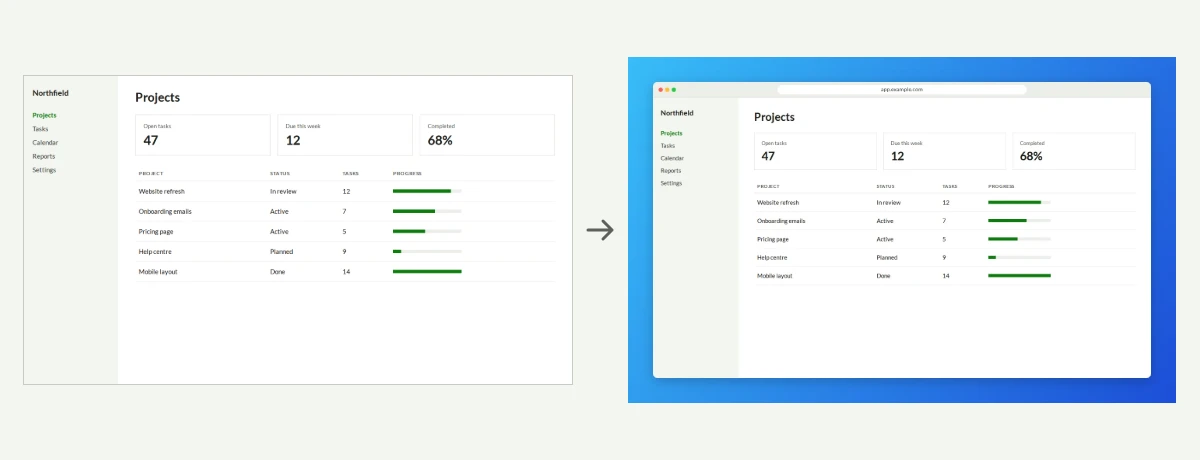
Beautify puts the screenshot on a background (transparent, 6 colours, 6 gradients or your own colour) with padding, rounded corners and a shadow, and can add a light or dark browser frame with your own text in the address bar. The settings apply to every image in the queue and are remembered in this browser.
The output size stays fixed
With a size like 1200 × 630 or 1920 × 1080, the screenshot is scaled to fit inside the padding and the frame, so the file is still exactly that size. If you keep the original size, the image grows by the padding and the frame instead, and the screenshot stays at 100%. Crop 1:1 still works inside the frame.
Free and Pro
Beautify is part of Pro, a one-time licence. Without it you can still crop, resize and compress screenshots for free. Transparent backgrounds and rounded corners stay transparent in PNG, WebP and AVIF; JPEG fills them with white.